

Scan the Code Inside Your SAP Integrations
Your iFlows run powerful Groovy. Today it goes unscanned. We read it.
SAP Integration Suite / Cloud Integration (CPI) iFlow script steps run Groovy, JavaScript and XSLT with full application power - OS commands, sockets, files and credentials. As PI/PO end-of-maintenance in 2027 moves every SAP customer onto CPI, that code becomes a real, unscanned attack surface. RedRays connects to your Integration Suite runtime, pulls the iFlow content and audits every script.
Get a free scan See what it findsWhy CPI is the blind spot to close
No obvious competitor
Incumbent SAP-security vendors focus on ABAP and on-prem. CPI Groovy is an open blind spot with no clear alternative today.
PI/PO to CPI by 2027
PI/PO mainstream maintenance ends in 2027, moving all integration onto Cloud Integration - a real, dated reason to look now.
Groovy is application code
A script step can run OS commands, open sockets, read files and handle credentials. It deserves the same scrutiny as any app.
Not a second tool
CPI findings flow through the same governed console, findings model and reports as your ABAP scans - not a separate silo.
What RedRays finds in CPI Groovy
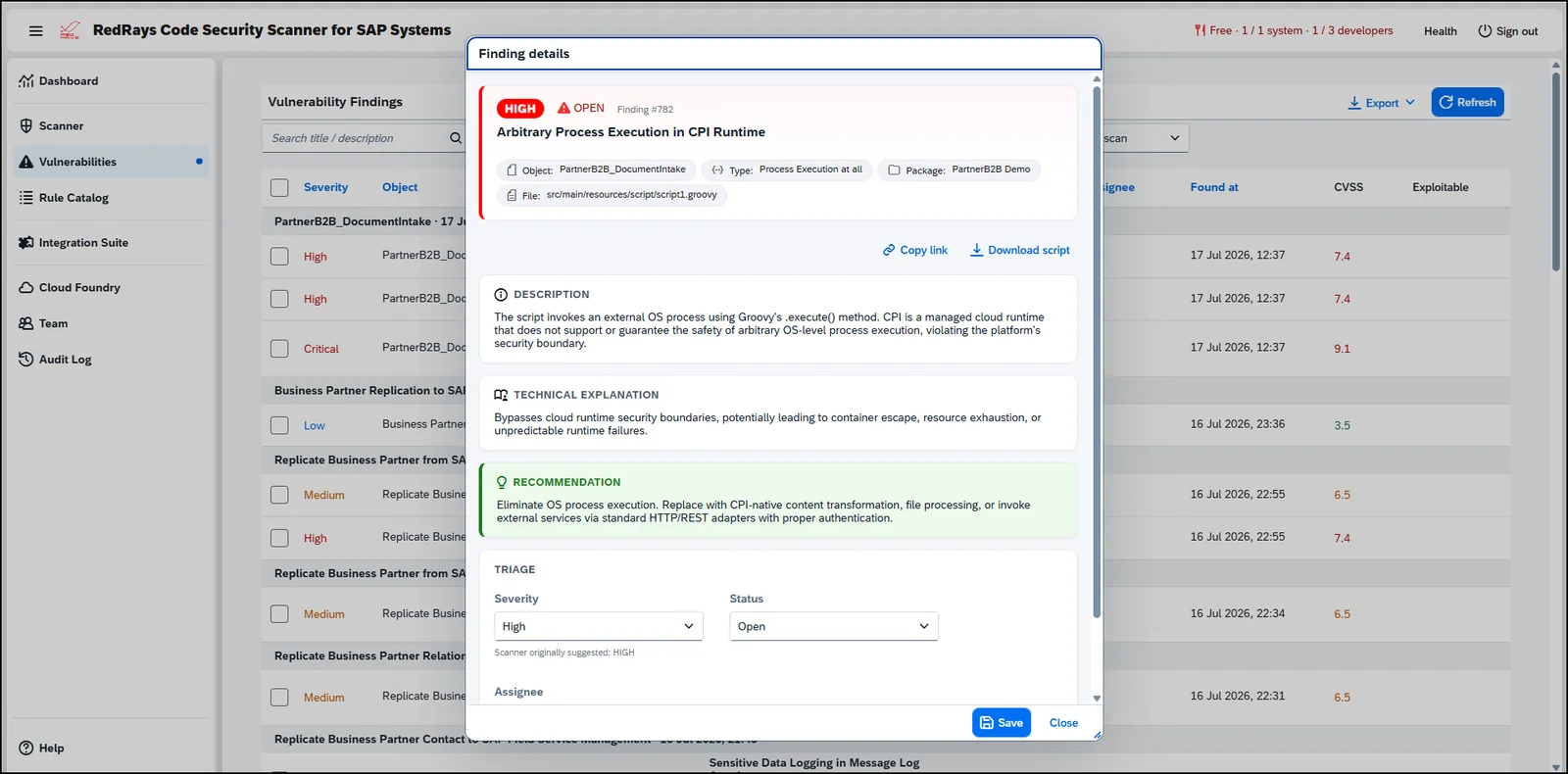
The same SAP-context engine that reads ABAP audits the scripts in your iFlow steps - each finding carries the exact file, line and offending source line.
Command and code execution
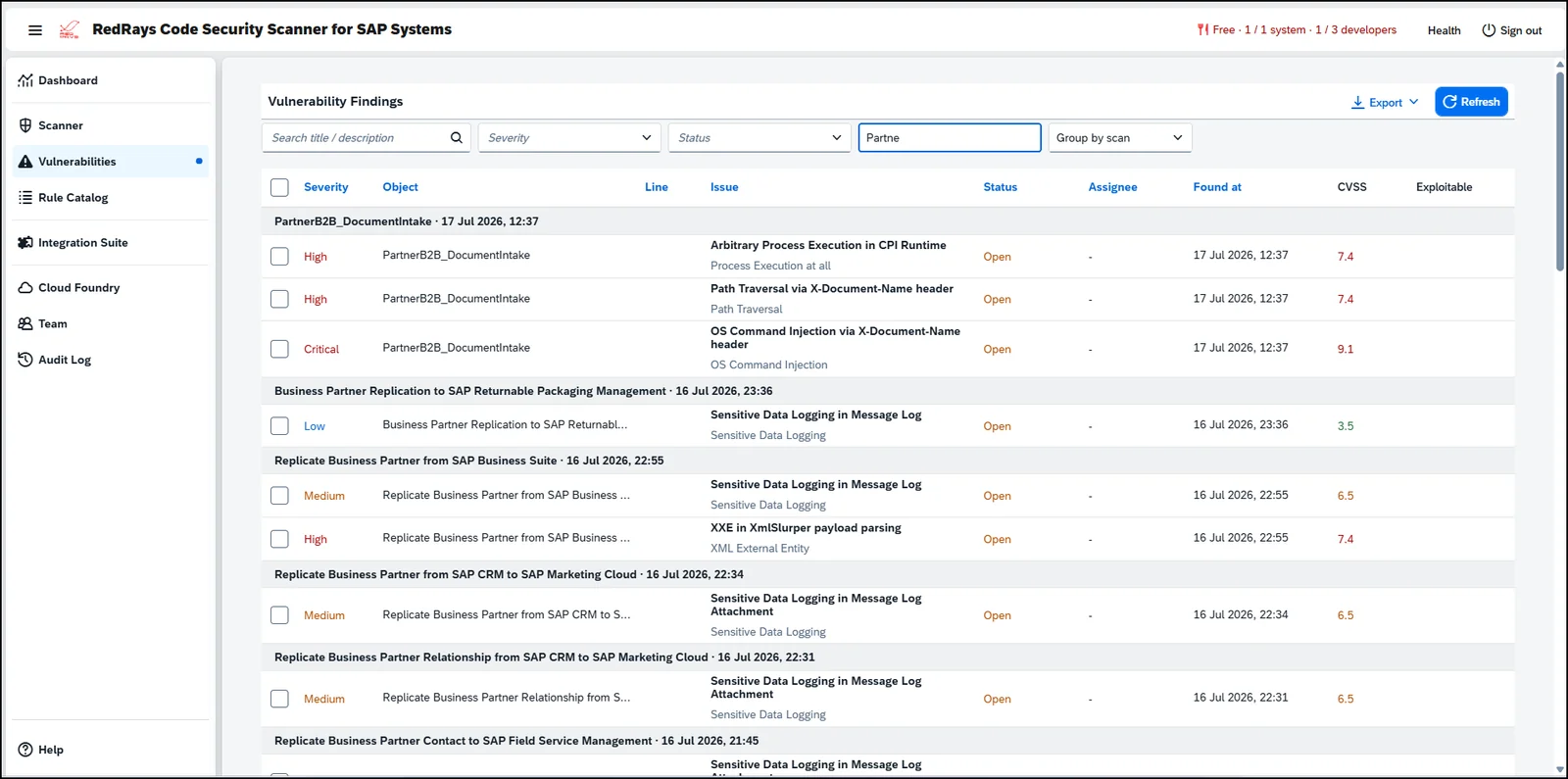
Flags user-controlled message data flowing into .execute(), Runtime.exec or ProcessBuilder - the classic remote-code-execution sink in a CPI script step. Alongside it: OS command injection, path traversal and XXE, each mapped to the iFlow it lives in.
Every finding, explained and scored
Each finding carries a CVSS score, the exact package, artifact and script file, a plain-language explanation and a concrete fix - ready to triage, assign and export.
Connect your runtime and audit at scale
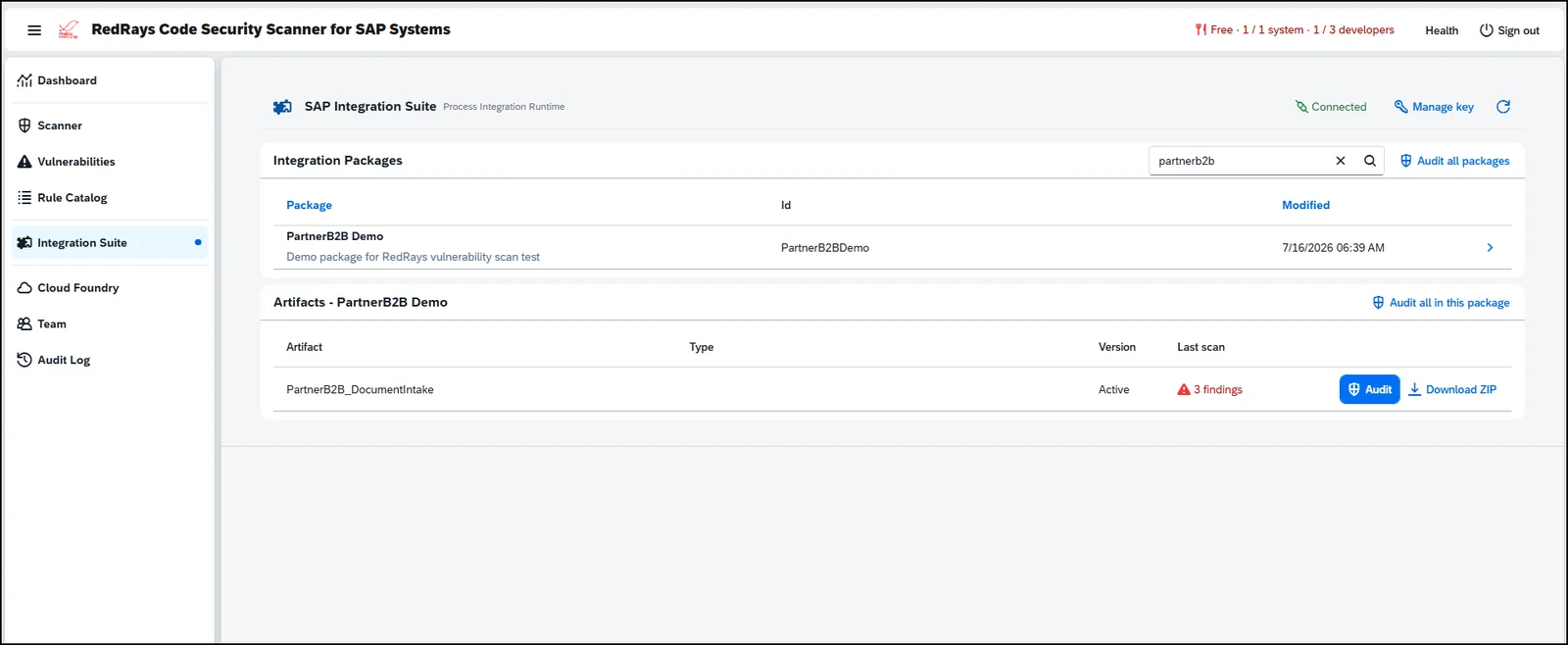
Register your Integration Suite runtime once, encrypted per tenant. Then browse your packages and audit a single artifact, a package, or every package in your tenant - findings stream into the same Vulnerabilities view you use for ABAP.
What it detects
Groovy, JavaScript and XSLT security issues that hide in iFlow script steps:
Also on the platform
FAQ
What does the RedRays CPI scanner check?
It audits the Groovy, JavaScript and XSLT in your SAP Integration Suite (Cloud Integration) iFlow script steps for command and code execution, injection, path traversal, XXE, SSRF, hardcoded secrets, disabled TLS and sensitive data written to the message log - each finding scored by CVSS with the exact file and line.
How does it connect to SAP Integration Suite?
You register your own Integration Suite runtime credentials once. They are encrypted at rest, and RedRays reads only your Cloud Integration content, isolated per tenant. Nothing is shared across customers.
Is it a separate tool from the ABAP scanner?
No. CPI findings run through the same governed console, findings model and reports as your ABAP scans - one platform, one workflow, one set of exports.
Which languages does it read?
The Groovy, JavaScript and XSLT used in CPI script steps - the code that actually executes inside your integrations.
How do I try it?
Book a demo, or send us a set of iFlows for a free scan. Run it as SaaS or deploy it inside your own landscape.
See it on your own integrations
Book a demo or send us a set of iFlows - we'll show you the findings, on your own code.