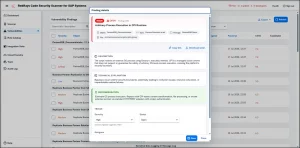
SAP security note 2053788, “Missing authorization check in RFC enabled function module – BC-MOB-MI-SER”. Below are the symptom and SAP recommended solution.
Description
Symptom
This SAP note describes new switchable authorization checks for RFC function modules in BC-MOB-MI-SER.
Solution
New switchable authorization checks have been implemented. The checks are delivered inactive to ensure compatibility with your running processes. They can be activated in transaction SACF as described in the attached manual correction instructions.
Implementation Steps:
- Download and upload SACF_DATA.TXT: save the attached file locally, go to transaction SACF_TRANSFER, choose “Upload” and check “Scenario Definition”, enter the scenario name BC_MI_RFC_CHECK, uncheck “Replace existing scenarios” and “Test Mode” if not testing, execute and select the downloaded file, then save the scenario definition to the package S_ME_MGMT.
- Activate the scenario: go to transaction SACF, enter BC_MI_RFC_CHECK and select “Productive Scenarios”, execute and double-click the scenario name to check if the status is “A” (Active); if not active, activate it via “Scenario Definition”, double-click BC_MI_RFC_CHECK, and choose “Active” from the “Scenario” button in the toolbar. If authorization issues arise, run transaction SU53 to identify missing authorizations and update profiles accordingly; if unresolved, contact the BC-SEC component.
- Maintain authorization proposals: in transaction SU22, select application type “RFC Function Module”, select the function modules with new switchable authorization checks and execute maintenance, switch to change mode and add any missing authorization objects manually, then set S_RFC to “No” and “Yes” for authorization objects used in your checks so PFCG proposes them when adding function modules to roles.
- Maintain default values: for display-only authorizations (e.g. activity 03) set default values, and leave fields blank where multiple values may be valid to allow flexibility during role maintenance.
- Update message class: in transaction SE91, open message class MI_AUTH and create message 008 “Note 1882417 must be implemented including kernel requirements” and message 009 “No Authorization To Execute For RFC enabled Function Module”.
Reason and prerequisites
Remote calls to RFC function modules are protected by checks on the authorization object S_RFC. Authorizations for S_RFC must be limited to the required minimum to ensure system security. Many RFC function modules can be sufficiently protected using S_RFC authorization checks, often without additional functional authorization checks. Please see SAP note 2008727 for further information on RFC Security. It was identified that S_RFC authorization checks might not be sufficient for secure execution of RFC function modules covered by this note. Activate new switchable authorization checks and update corresponding roles if these RFC function modules are included in S_RFC authorizations in your system.
Full note on SAP: SAP Support Launchpad note 2053788
Detailed exploitation and proof-of-concept material for this note is maintained in the RedRays Security Platform. For access, contact [email protected].