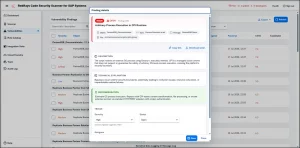
SAP security note 1513474, "Missing authorization check in SAP Solution Manager". Below are the symptom and SAP recommended solution.
Description
Symptom
An authenticated user can use certain functions of SAP Solution Manager without having the required authorization. This may result in an escalation of privileges.
Unauthorized access to specific functions within SAP Solution Manager can lead to privilege escalation, enabling users to perform actions beyond their intended permissions. This can compromise the security and integrity of the system.
Solution
To address this issue, perform the following manual activities in each system where the Note is transported:
1. Identify RFCs with SM_*_READ Pattern
- In SAP Solution Manager, navigate to transaction
SM59. - Search for RFCs matching the pattern
SM_*_READ. - Select each RFC and go to the “Logon & Security” tab.
- Note the users associated with these RFCs.
2. Modify User Assignments
- Log in to the client where the user exists.
- Remove the assignment to the role
Z_SOLMAN_READ. - Remove assignments to the profiles
S_CUS_CMP,S_CSMREG,S_BDLSM_READ, andD_SOLMAN_RFC. - Assign the required authorizations to the user.
Options for Assigning Authorizations:
Without ST-PI 2008_1_<Release> Support Package 05
- Upload the role attached to this note to your client.
- Generate the profile for the role and assign it to the user used in the READ RFC connection.
With ST-PI 2008_1_<Release> Support Package 05
- Use transaction
PFCGto create a role, e.g.,Z_SOLMAN_READ_1. - Switch to the “Authorizations” tab and select “Change Authorization Data”.
- Choose the template
/SDF/SOLMAN_READand generate the role. - Assign the role
Z_SOLMAN_READ_1to the user.
Full note on SAP: SAP Support Launchpad note 1513474
Detailed exploitation and proof-of-concept material for this note is maintained in the RedRays Security Platform. For access, contact [email protected].