- Platform
By role
EnterprisesContinuous SAP security monitoringConsultantsAssess client SAP landscapesPenetration TestersOffensive checks for SAPABAP code security
ABAP Code ScannerSAST for custom ABAP codeABAP Scanner on SAP BTPABAP Cloud code on BTPABAP Eclipse PluginFindings right inside ADTSAP Security TrainingA 4-hour live session for red teams and pentesters.See the agenda →BTP and architecture
CAP / BTP Extension ScanCAP apps and BTP extensionsIntegration Suite ScannerCPI iFlows, adapters, secretsSAP Threat ModelingAttack paths across your SAP - Services
Penetration testing
SAP Penetration TestingABAP, Java and HANA on-premiseSAP Cloud Penetration TestingS/4HANA Cloud, BTP, IASHybrid SAP Penetration TestingOn-premise and cloud togetherNot sure where to start?Talk to our SAP security team about your landscape.Contact us →Assessment and response
SAP Vulnerability AssessmentFind and prioritize weaknessesABAP Code ScanSecurity review of custom codeSAP Incident ResponseUnder attack? Get help now - Industries
- Training
- Blog
- Company

SAP Penetration Testing
Manual, expert-led penetration testing of your SAP landscape - cloud and on-premise. We map your systems, exploit real weaknesses across core services, custom ABAP and S/4HANA, and hand you a prioritized, actionable report - exactly as a real attacker would, before one does.
Request a pentest See our methodologyJoin the companies trusting us







What is SAP penetration testing?
SAP penetration testing is a controlled attack on your SAP landscape. We look for the ways a real attacker would get in — through exposed SAP services, weak configuration, custom ABAP code or excessive authorizations — then chain them to show how far they lead: from a network foothold or a low-privileged user to SAP_ALL, the database or the operating system. Unlike a scan, every finding comes with proof that it can be exploited and a concrete fix.
What we test
A SAP landscape is more than one system. We cover the full attack surface, on-premise and in the cloud.
ABAP stack
ECC and S/4HANA: core services, authorizations, custom ABAP and transports.
SAP Java (AS Java)
NetWeaver Java, P4, Enterprise Portal, secure storage and admin interfaces.
SAP HANA
Database configuration, privileges, encryption and OS-level exposure.
Fiori / UI5 & OData
Launchpad, UI5 apps and OData services: authorization and input handling.
Gateway · MS · ICM/ICF
RFC, Message Server, Web Dispatcher, SAProuter and exposed services.
Integration
PI/PO, Cloud Integration (CPI) and Solution Manager connectivity.
SAP BTP & cloud
Subaccounts, destinations and Cloud Connector. See SAP BTP & cloud pentest.
Custom code (SAST)
ABAP and UI5 source review. See the ABAP Code Scanner.
Our SAP penetration testing methodology
A comprehensive security evaluation of your SAP S/4HANA environment - five phases, from reconnaissance to full compromise.
1
Discovery & reconnaissance
Complete SAP environment mapping: system identification, service detection (DIAG, RFC, Gateway, Message Server), SAP profile-parameter analysis, client enumeration and RFC external-server discovery.
2
Core services security
Deep testing of the services that expose your SAP systems to the network:
Gateway
RFC exploits, fake RFC registration, REGINFO disclosure.
Message Server
Fake app-server registration, remote exploits.
ICM / ICF
SOAP RFC exploitation, ICF service vulnerabilities.
Web Dispatcher
Default credentials, DIAG protocol exploits.
3
ABAP code security assessment
Static analysis of your custom ABAP: authorization checks (missing or insufficient authority checks, cross-client access), backdoor detection (hardcoded credentials, generic function calls) and vulnerability scanning (SQL and OS command injection, directory traversal, buffer overflow).
4
S/4HANA-specific testing
SAP HANA database security assessment, Fiori applications and Launchpad testing, integration-component evaluation (PO/PI, CPI), Solution Manager connectivity analysis and third-party application-interface security.
5
Privilege escalation
Escalation paths from SAP user to database/OS via SAP functions, RFC trust exploitation, decryption of SAP user passwords and SecStore keys, database-to-OS escalation, and OS-to-SAP lateral movement through configuration-file analysis.
What you get
A SAP pentest is only useful if your team can act on it. Here is what lands in your inbox.
Findings with proof
Every finding comes with proof that it is exploitable and a CVSS-based severity, not a theoretical “could be a risk”.
A prioritized fix plan
Concrete remediation: profile parameters, SAP Notes, role changes and code fixes, ordered by what reduces risk fastest.
The attack path
A clear picture of how findings chain together, from first foothold to full compromise.
Executive summary
A short, non-technical read for management: posture, key risks and priorities.
Results walkthrough
A call with the people who did the testing to go through findings and answer your team’s questions.
Re-test included
After you fix the issues, we re-run each one to confirm it is actually closed.
How an engagement runs
A typical SAP pentest takes about 3–4 person-days per SAP system (SID). Final effort depends on how many systems are in scope, whether BTP and cloud are included, and whether source-code review is added.
1
Scoping. We agree the systems, attacker positions and rules of engagement, and confirm a testing window.
2
Access & readiness. You provide connectivity and test accounts; we confirm everything is ready before active testing starts.
3
Testing. Manual testing and controlled exploitation across the agreed systems: no denial-of-service, inside the agreed window, on a QA copy where you prefer.
4
Reporting. A prioritized report with proof-of-exploit findings, the attack path and concrete fixes, plus an executive summary.
5
Walkthrough & re-test. We walk your team through the results, then re-test your fixes to confirm each finding is closed.
What we need from you
- Target list: hostnames, SIDs, clients and instances in scope
- Connectivity: VPN or network access to the agreed SAP services
- Test accounts: a standard user and, where relevant, a power user
- For code review: the ABAP / UI5 packages to be reviewed
Who tests your SAP

Your assessment is led by Vahagn Vardanyan, CTO of RedRays and a researcher in enterprise application security, SAP and Oracle. His work is manual analysis of non-standard scenarios that scanners miss, informed by years of original SAP vulnerability research. Engagements are delivered by two testers, so you talk directly to the people doing the work.
150+ CVEs credited to RedRays researchersBlack Hat MEA · Troopers · OWASP speakerUS & Armenia based team
Our SAP penetration testing example
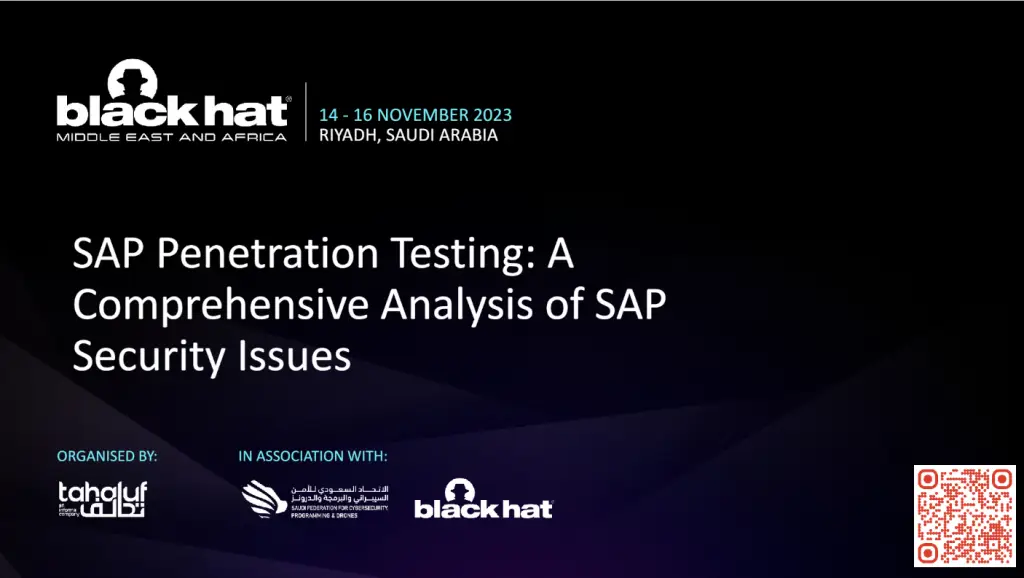
In November 2023 we demonstrated a full SAP compromise using six zero-day vulnerabilities - taking over both SAP Cloud and on-premise landscapes, starting from a single low-privileged user on the network.
6zero-days chained
Cloud + on-premboth landscapes compromised
Low-priv userstarting foothold
Arbitrary file read in SAP Manufacturing (CVE-2022-39802) → read sensitive files from the SAP server → fixed by applying the vendor SAP Note.
Weak protection of SAP AS Java secure storage → database and service credentials recovered offline → database-administrator access.
Privilege escalation in SAP Host Control (CVE-2023-0012) → command execution as the SAP operating-system user → fixed by the vendor SAP Note.
Credential reuse into SAP Cloud Connector → pivot from the on-premise landscape into the connected cloud environment.
Why run a SAP penetration test?
Prevent disruption & sabotage
Reduce the risk of plant sabotage, equipment damage and production disruption that a compromised SAP system can cause.
Find & fix vulnerabilities
Identify weaknesses in your security controls and remediate them proactively - before an attacker finds them first.
Meet compliance
Avoid compliance and safety violations, and produce evidence that your SAP landscape has been independently tested.
Protect IP & processes
Safeguard the business-critical data and processes SAP runs from espionage, fraud and quality degradation.
Strengthen controls
Turn findings into concrete hardening: profile parameters, authorizations, RFC trust, service exposure and more.
Real attacker's view
See how far a real attacker could actually get - not just a list of theoretical issues, but a demonstrated attack path.
Penetration testing vs. vulnerability assessment
Both matter, but they answer different questions. A penetration test proves what a real attacker could do: it exploits weaknesses, chains them and escalates privileges to show the actual impact on a critical production-like system. A vulnerability assessment takes inventory: it finds and rates potential weaknesses across broad coverage without exploiting them, which suits regular, wide checks of your landscape.
Most teams run both: a VA for breadth and a pentest for depth. See our SAP vulnerability assessment, or combine both in a hybrid SAP penetration test.
SAP penetration testing FAQ
How long does a SAP pentest take?
About 3–4 person-days per SAP system (SID). More systems, BTP/cloud scope or added source-code review increase the effort.
What affects the cost?
The number of systems in scope, whether BTP and cloud are included, and whether ABAP/UI5 source-code review is added.
Is it safe for production?
Yes. We test inside an agreed window, avoid denial-of-service, and can work on a QA or production-copy system where you prefer.
What do you need from us?
A target list (hosts, SIDs, clients), connectivity to the SAP services, and test accounts. For code review, the ABAP/UI5 packages to be reviewed.
Do you test SAP BTP and cloud?
Yes: subaccounts, destinations and Cloud Connector. See our SAP BTP & cloud penetration testing.
Do you re-test after we fix the findings?
Yes. Re-test of the fixed findings is included: we re-run each one to confirm it is closed.
How often should we test?
At least annually, and after major changes: upgrades, S/4HANA migrations, new integrations or BTP rollouts.
Request a SAP penetration test
Tell us about your SAP landscape and scope - we'll get back to you with a plan.
×![Preview]()